
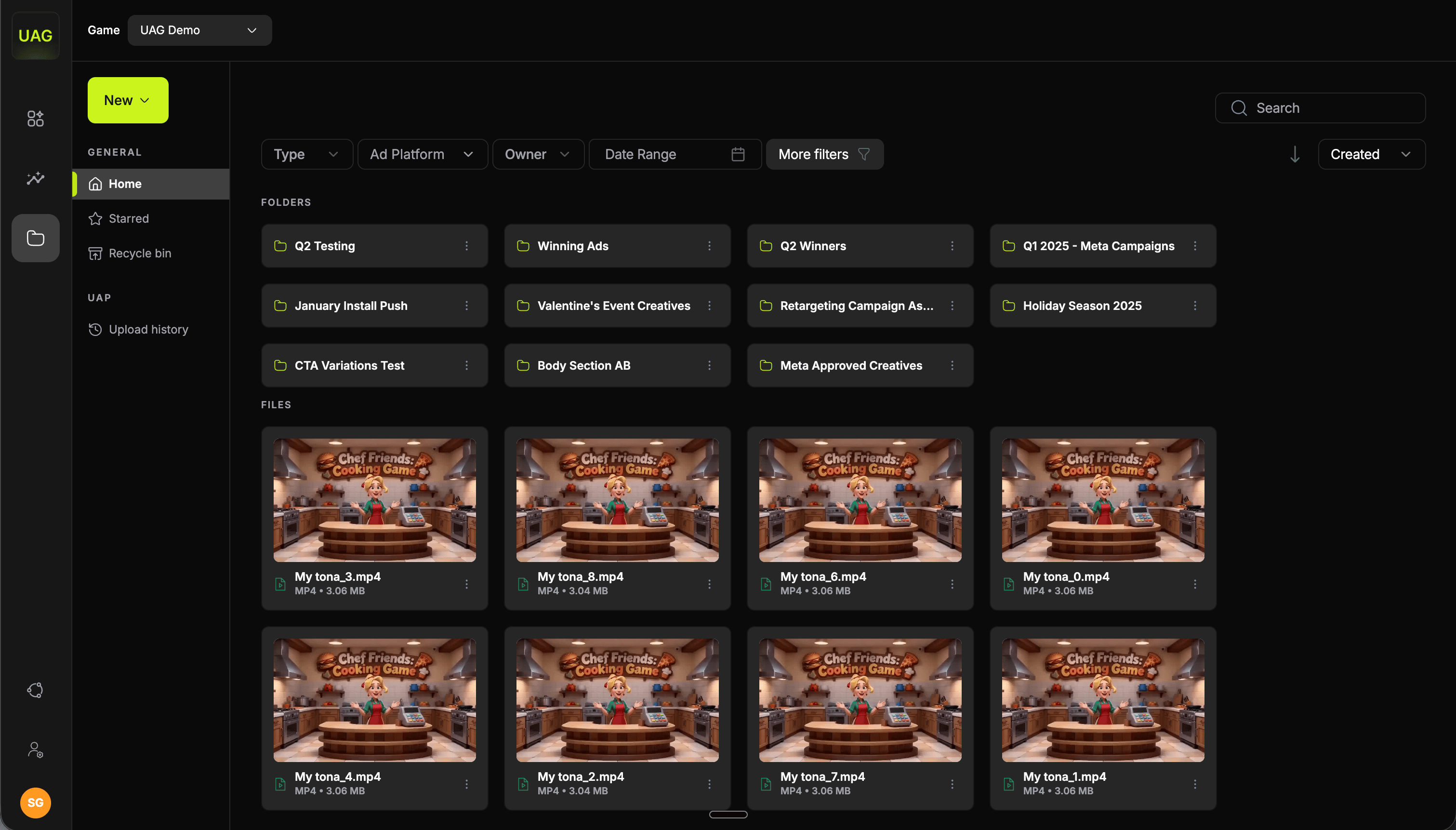
Navigation
The left sidebar has two sections:Adding files
The New button offers:- Create folder
- Upload files
- Upload folder
Filters
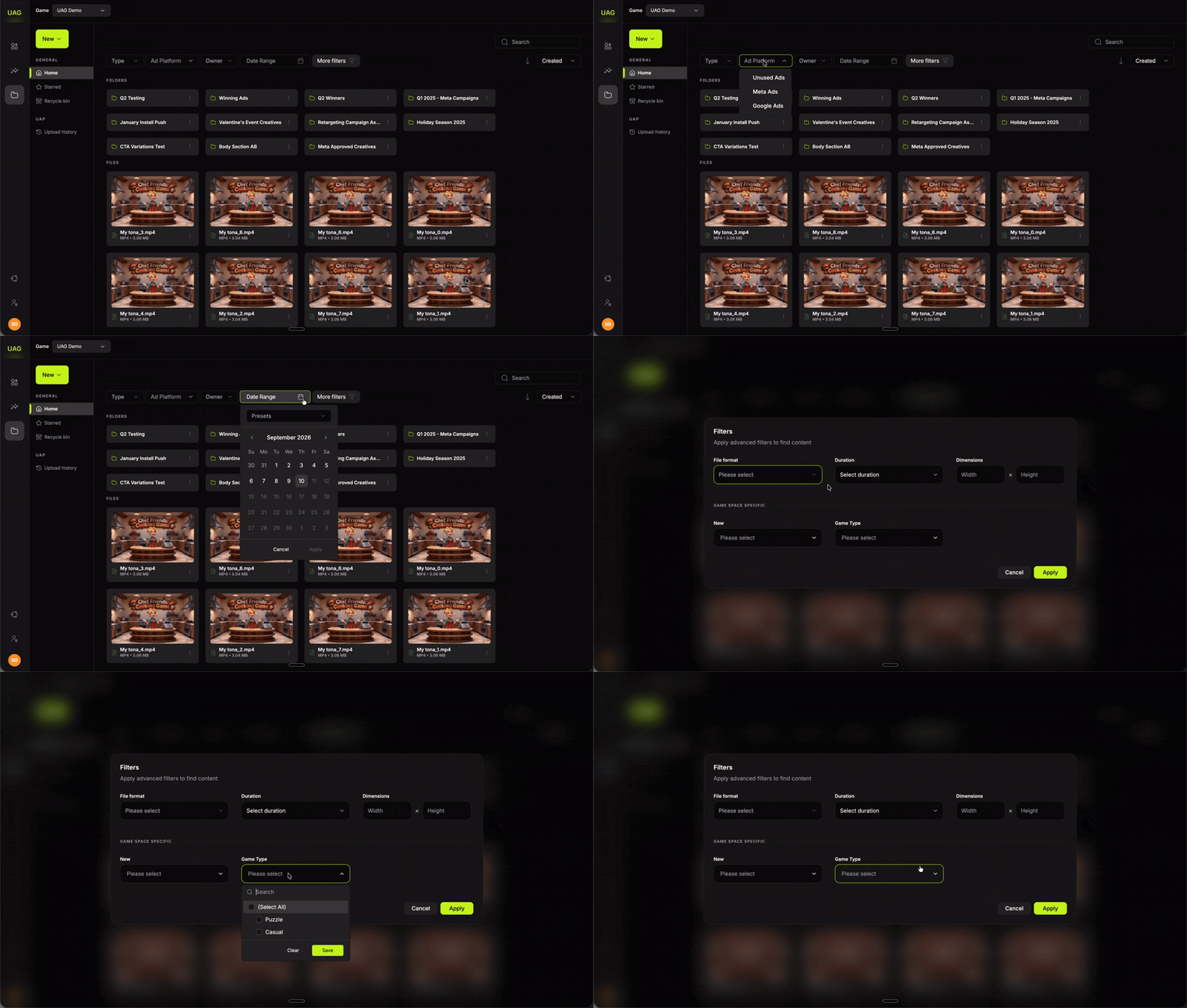
Technical filters
Technical filters
- File format
- Duration
- Dimensions, as width by height
Game space specific
Game space specific
The custom properties you have defined for your game, for example:
- Creative Concept
- Style
- Creative Concept copy
- Content style
File detail
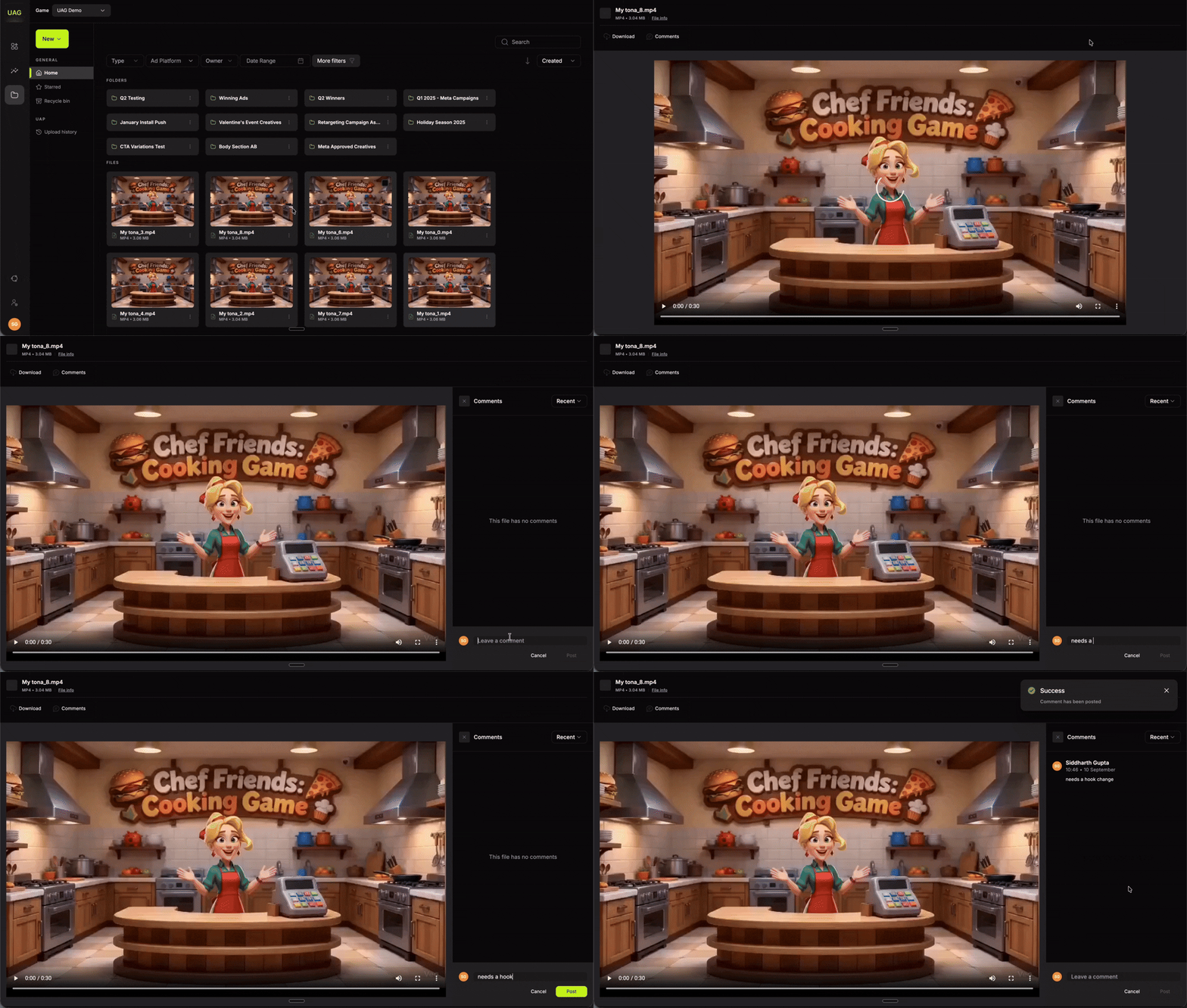
- Download
- Comments, a threaded discussion on the file for review without leaving the console
- File info: Name, Saved in, Size, Modified, Type, Uploaded by, Date uploaded, Duration and Dimensions
Upload history
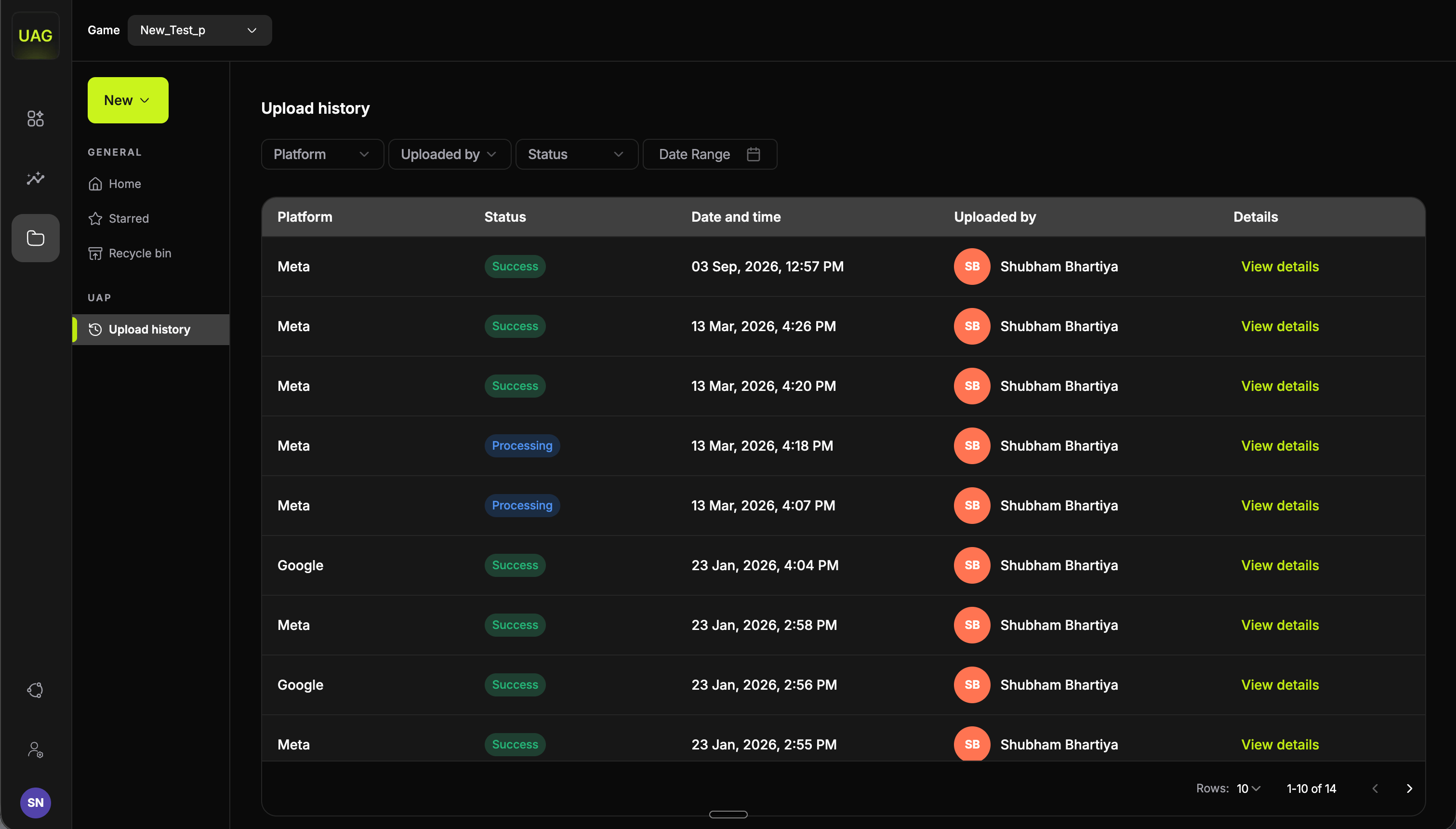
View details expands to per-file status messages returned by the ad platform.
When a result shows a partial failure, open the details first. The message names the cause and tells you which files to re-run, so you only repeat the ones that need it.
Keeping the library easy to work with
Generated batches build up quickly, since a single Video Studio project can add 100 files.- Folder by cycle to keep a batch together. A folder per test round reads far better than a flat list.
- Star your winners. The Starred view then becomes your proven-creative shortlist, which is where the next round of variations should start from.
- Tag as you go with your custom properties. A few seconds per file keeps the whole library searchable.
- Recycle bin holds deleted files, so tidying up is safe and reversible.