
Recreating a body works differently from recreating a hook. A hook is generated as one video. A body is built asset by asset, so you decide exactly what changes and what stays.
Original versus template
View templates on a body card opens a modal listing:Original
The competitor’s own footage, exactly as it ran. Useful as reference for choosing a structure.
Templates
That same gameplay structure turned into a template, ready for you to recreate and compose with.
Original + N templates, where N is how many templates exist for that body in the current game.
Recreate with AI appears on the templates, not on the original. If a body offers no Recreate action, its template is still to be delivered.
The studio
The Recreate Body screen puts your template and its assets on the left, and your finished video generations on the right.Switch between templates
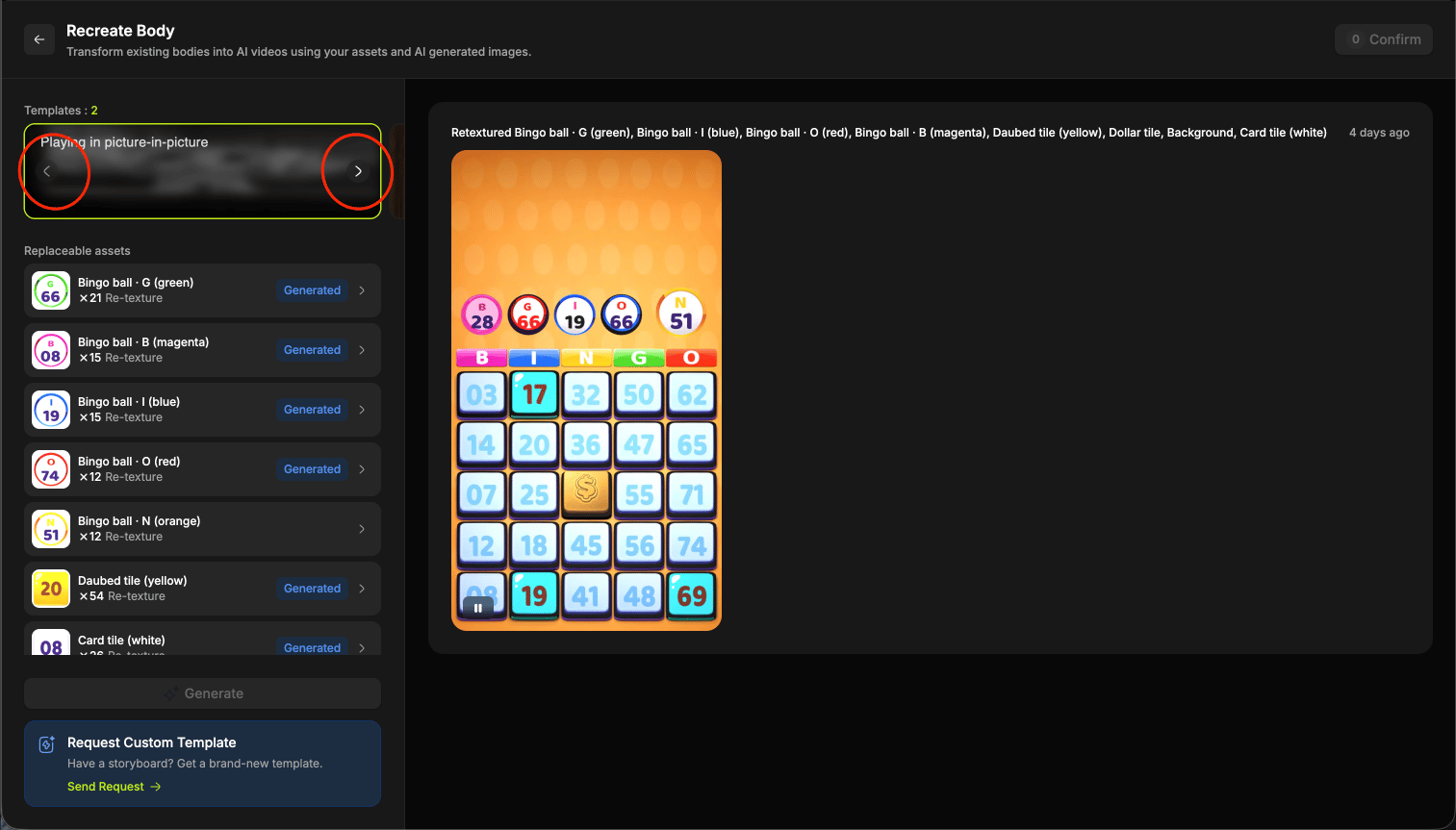
Replaceable assets
Under the template thumbnail, Replaceable assets lists every element of the gameplay you can swap. Each row shows the asset, how many times it appears in the video, and what will happen to it.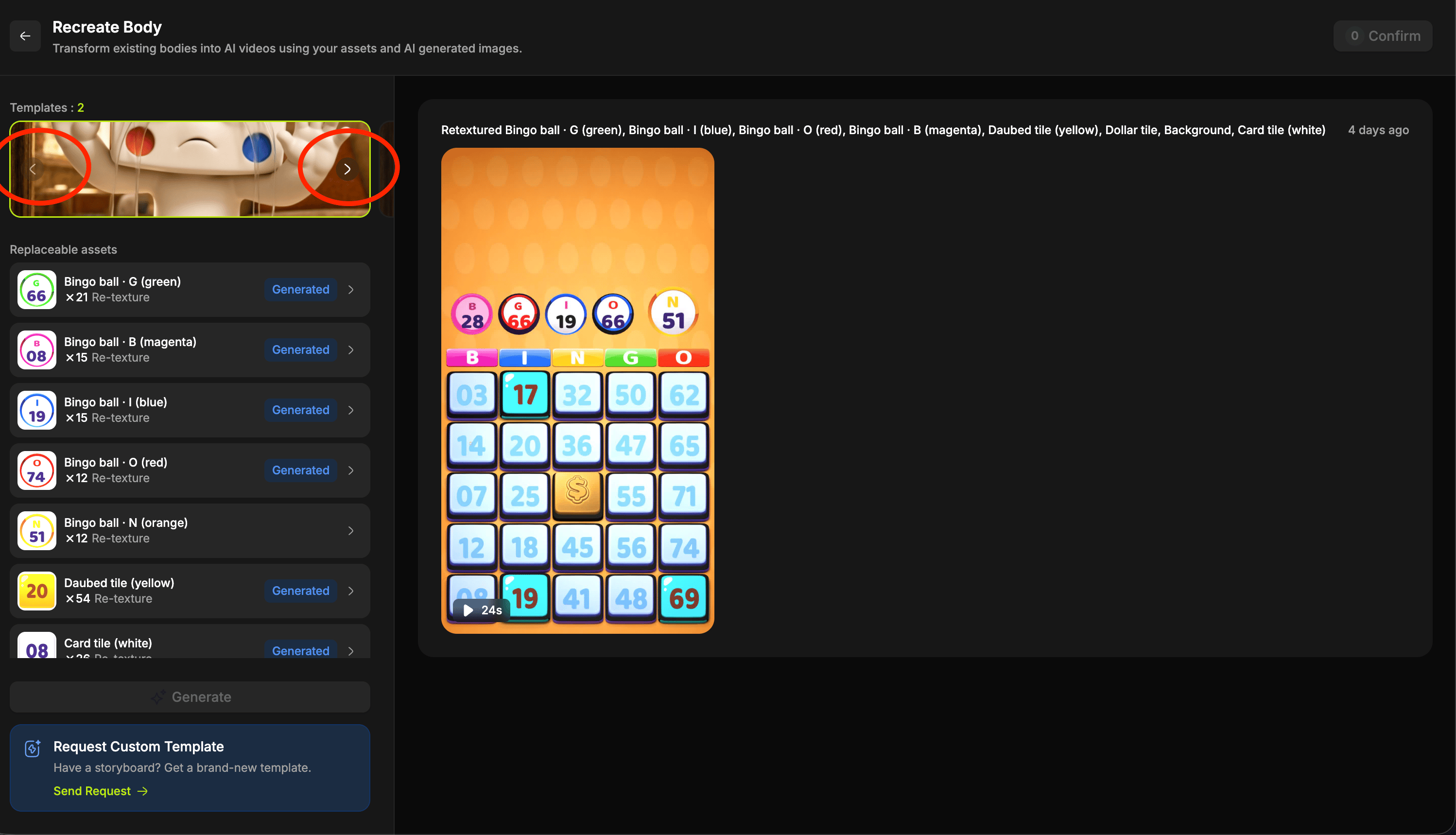
The three operations
Every replaceable asset is set up for one of three operations, shown on its row next to the count. What you give it depends on which one it is.
Selecting an asset opens its own history on the right, where you work in whichever of the three it uses. Back to videos returns you to the video list.
- Re-texture
- Replace
- Re-color
Give it a prompt, an image, or both. A prompt on its own is enough, so you can simply describe what you want.Each generation lays out three panels:
Set an asset as final
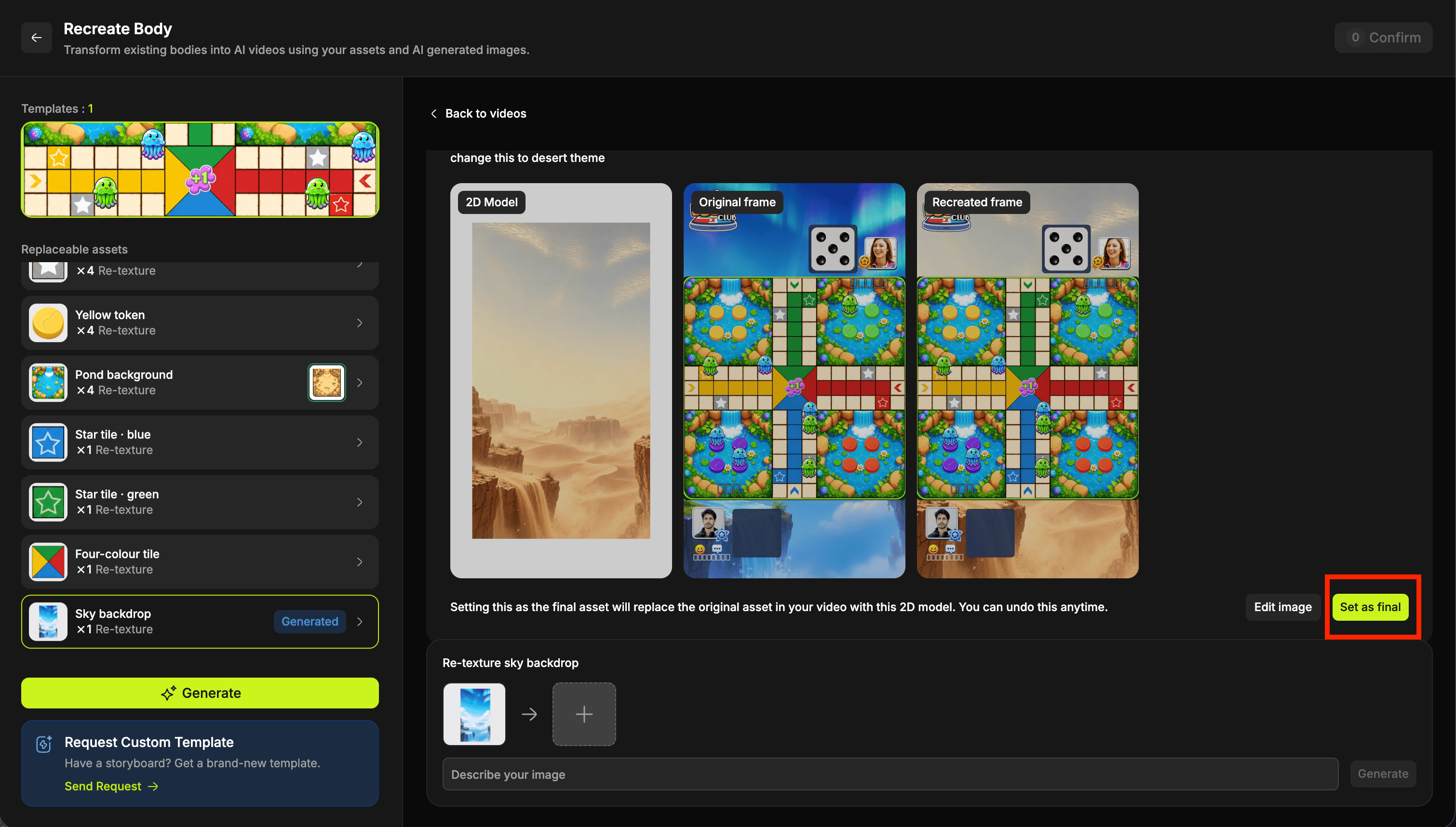
Setting this as the final asset will replace the original asset in your video with this 2D model. You can undo this anytime.Two controls sit alongside it:
- Edit image opens an inline prompt so you can adjust the same asset without starting over.
- Remove final asset clears your choice and puts the original back.
Generate the video
With your finals set, select Generate on the left. The video is built using every asset you set as final, and everything you left alone stays as it was. You can run several video generations in parallel, so there is no need to wait on one before trying a different combination of assets.A typical 45 second video takes around 20 minutes to generate. That varies with how many assets you have changed and a few other factors, so start it and carry on with something else.
Download, rate and set your final video
Finished videos appear on the right of the studio with the same controls as a recreated hook:
To keep a video, set it as your final video and Confirm. It then behaves exactly like a recreated hook: it comes back to Competitor research, and the body’s card carries a Recreations tag.
Selecting the tag fans the card out to show every final recreation of that gameplay, so you can compare your versions and pick the one to ship.